 Blu Blog
3ds Jailbreaking
Wed 01 May 2024I wanted to be able to play rom dumps and also custom fanmade roms on my 3ds, so I was thinking of jailbreaking my 3ds. I was particularly impressed by this one-stop shop experience a friend had told me about after they had gone through the process. And truly, it was an easy breezy one-stop shop. The only issue I had was actually unrelated to this documentation: I was like, hey, I'll image my 3ds's 8gb microsd card and etch that into this 64gb card I have lying about. Then, I can expand the resulting ~8gb partition to fill the disk. That way, I can test disk imaging, something relatively simple but that I've never done before!
when I wrote the image, the resulting partition was weird, as expected.

But I couldn't resize the partition. I unmounted it and tried to resize the partition but got a horrendous error that the filesystem was read-only. Well, fsck that; Gparted runs fsck -f -n '/dev/sdXY' behind the scenes so I did it manually to see if the errors were better, and no:
sudo fsck.fat -a -f -v '/dev/sdb'
open: Read-only file system
a non-exhaustive list of places I looked for help with this:
- https://askubuntu.com/questions/739693/usb-stuck-in-read-only-cannot-do-anything
- https://superuser.com/questions/1694609/dev-sdb-read-only-filesystem
- https://askubuntu.com/questions/968951/usb-stick-appears-as-read-only-file-how-can-i-make-it-writable
- https://askubuntu.com/questions/287021/how-to-fix-read-only-file-system-error-when-i-run-something-as-sudo-and-try-to
- https://unix.stackexchange.com/questions/692996/how-to-modify-a-read-only-file-system-in-linux
The solutions such as "try sudo mount -o rw and if that doesn't work, do a dd if=/dev/zero of=/dev/sdc bs=1M. Uh, if mount -o rw mounts it in read-only, dd is obviously gonna fail, right? Yeah, duh:
dd: failed to open '/dev/sdc': Read-only file system
It wasn't until this one that I finally had a clue as to what was going wrong. The asker physically pulls apart the USB drive:
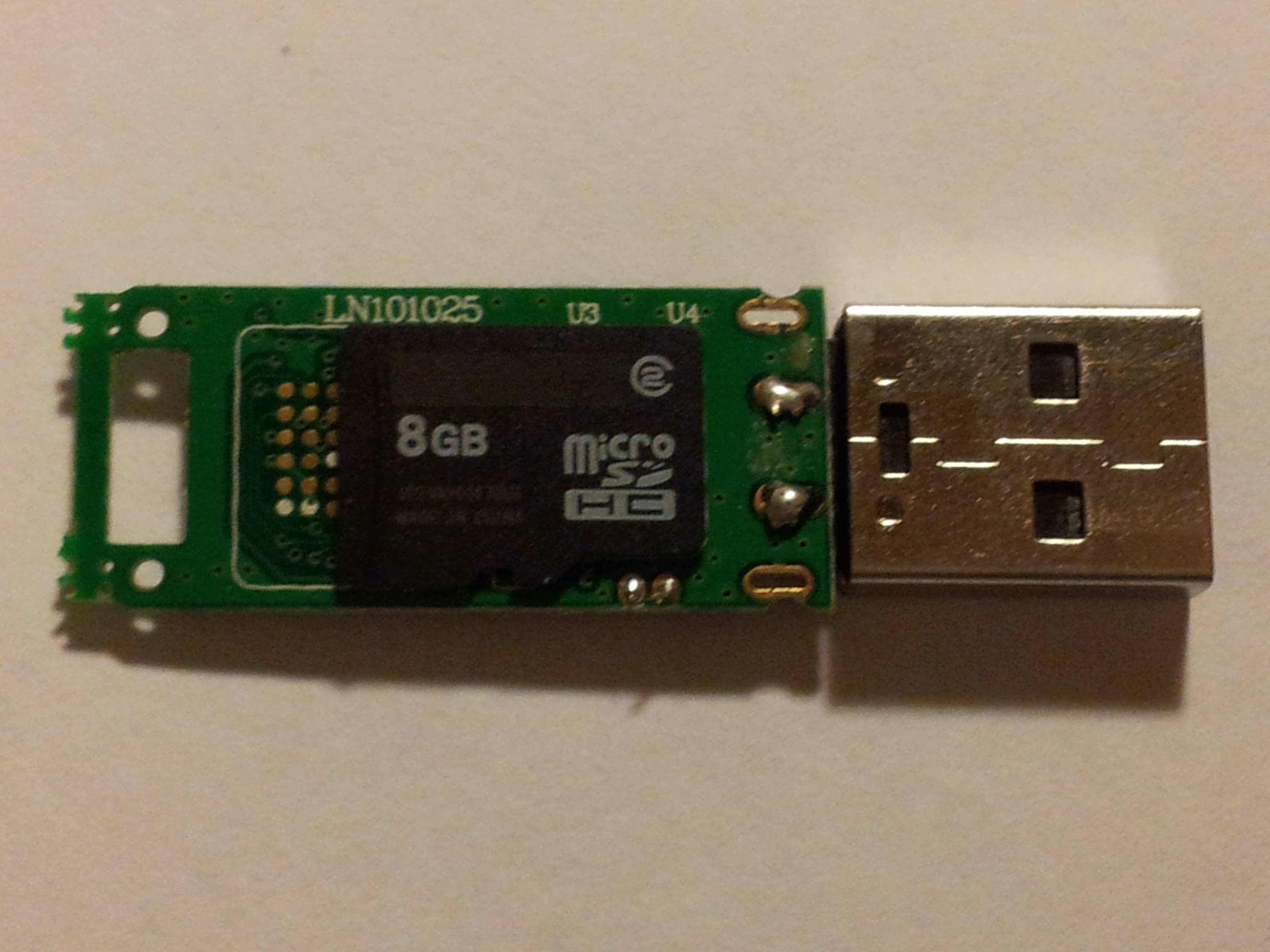
and sees that it's a microSD card and an adapter. Upon removing the card from the board, the card works just fine.
Well, guess what: my oblivious ass has been using an adapter this whole time. Let me just remove the card and insert it directly into my laptop's microSD card reader... and, voila. It fucking works. Ok, fsck -a -f '/dev/mmcblk0'? Yeah, fixed.

With the card working, the wiki was pretty easy to navigate and I got the jailbreak and custom firmware + launchers installed within 30 minutes. Much faster than my usb device troubles.
The one difficulty was the wiki doesn't have documentation about playing roms. I suspect this is to avoid the ire of nintendo, since they love to sue the shit out of projects that mention the word "rom". But the page on ds games helped me find what I needed: install TwilightMenu++ in the UniversalUpdater that I installed as part of the jailbreaking. I also downloaded the NDSForwarder to make roms playable from the home menu. GodMode9 even allows you to select the gamecart and copy it to the /roms/nds/ folder once you have TM++ installed. From there it was dead simple to take my cart, copy the .nds file, and then launch it.
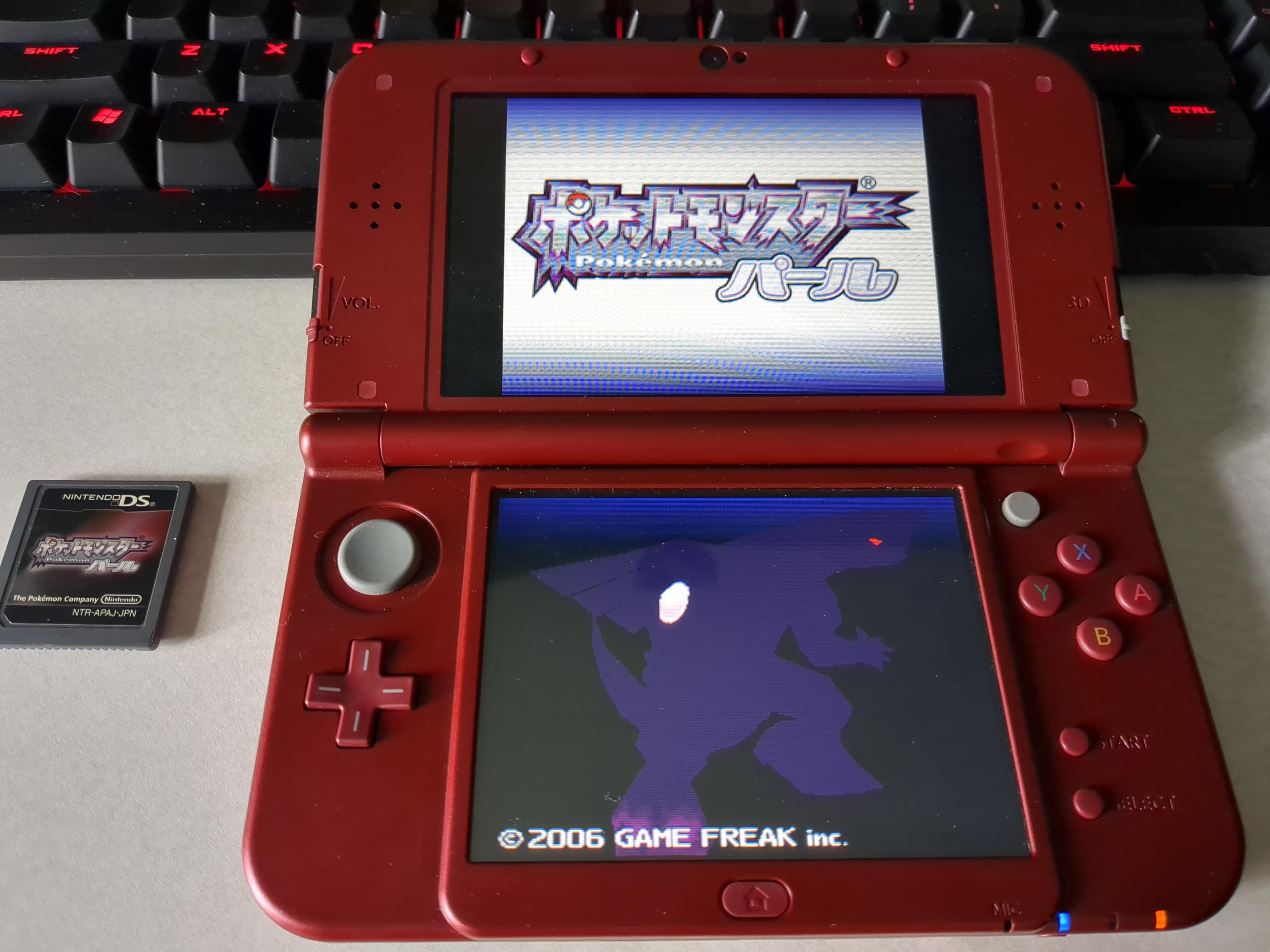
Look ma, no piracy!